# Okta
The following steps must be taken to integrate Virtuoso with Okta.
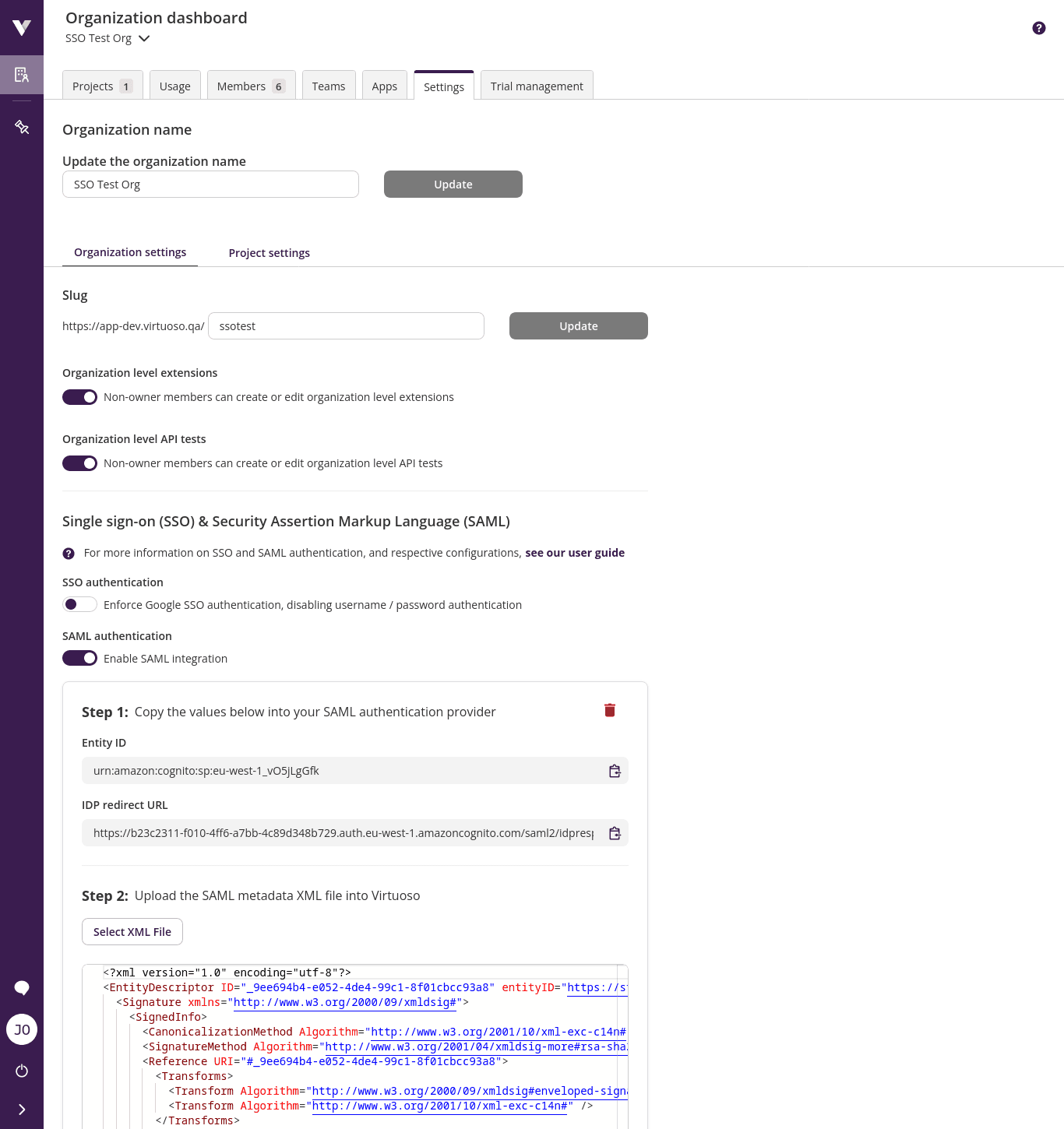
1. Start by enabling SAML authentication in Virtuoso by going to Organization settings and activating Enable SAML integration
TIP
Keep this window open since Entity ID and IDP redirect URL are going to be necessary to configure Okta.
2. Access your Okta tenant as an administrator
3. In the Admin Console, navigate to Applications > Applications
4. Click Create App Integration
5. Select SAML 2.0
6. Give the application a meaningful name like Virtuoso and click on the Next button
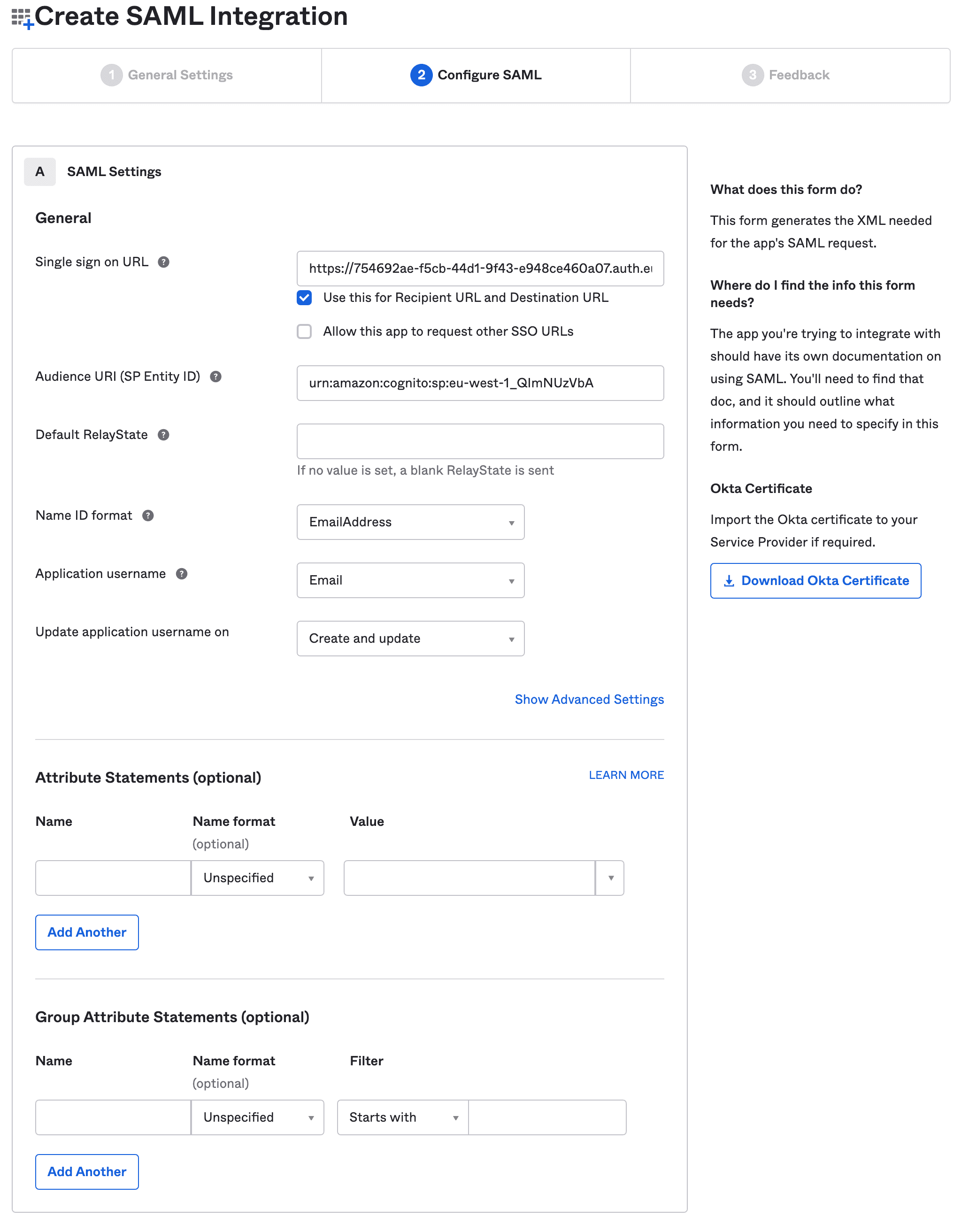
8. Provide the necessary information:
- Copy Virtuoso
Idp redirect URLandEntity Idto theSingle sign on URLandAudience URI (SP Entity ID). - Set
Name ID formattoEmailAddress - Set
Application usernametoEmail
9. Click Next button
10. Select I'm an Okta customer adding an internal app
11. Select This is an internal app that we have created
12. Click on Finish
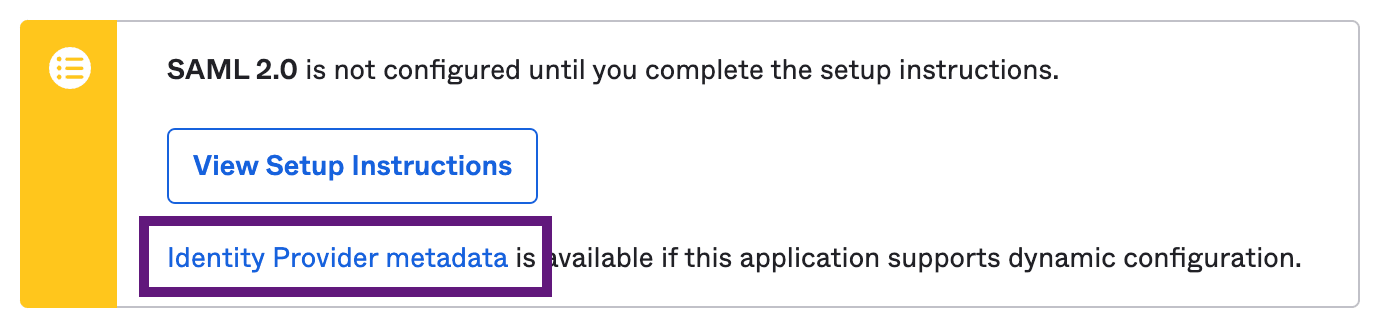
13. Download the metadata by clicking Identity Provider metadata link
14. Upload into Virtuoso the metadata file
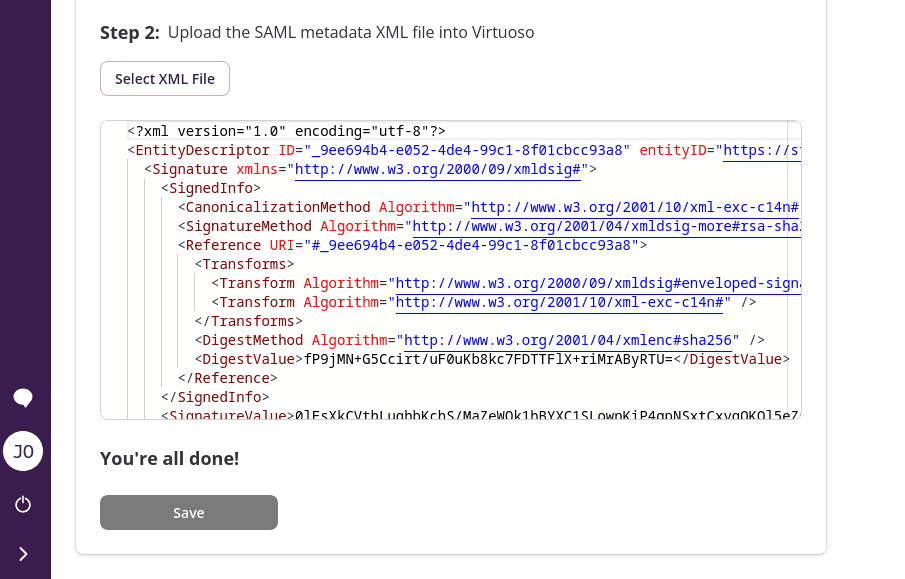
13. Click Save and you're done!
WARNING
Don't forget to assign users to the Okta application.