# Ping Identity
The following steps must be taken to integrate Virtuoso with Ping Identity.
1. Start by enabling SAML authentication in Virtuoso by going to Organization settings and activating Enable SAML integration
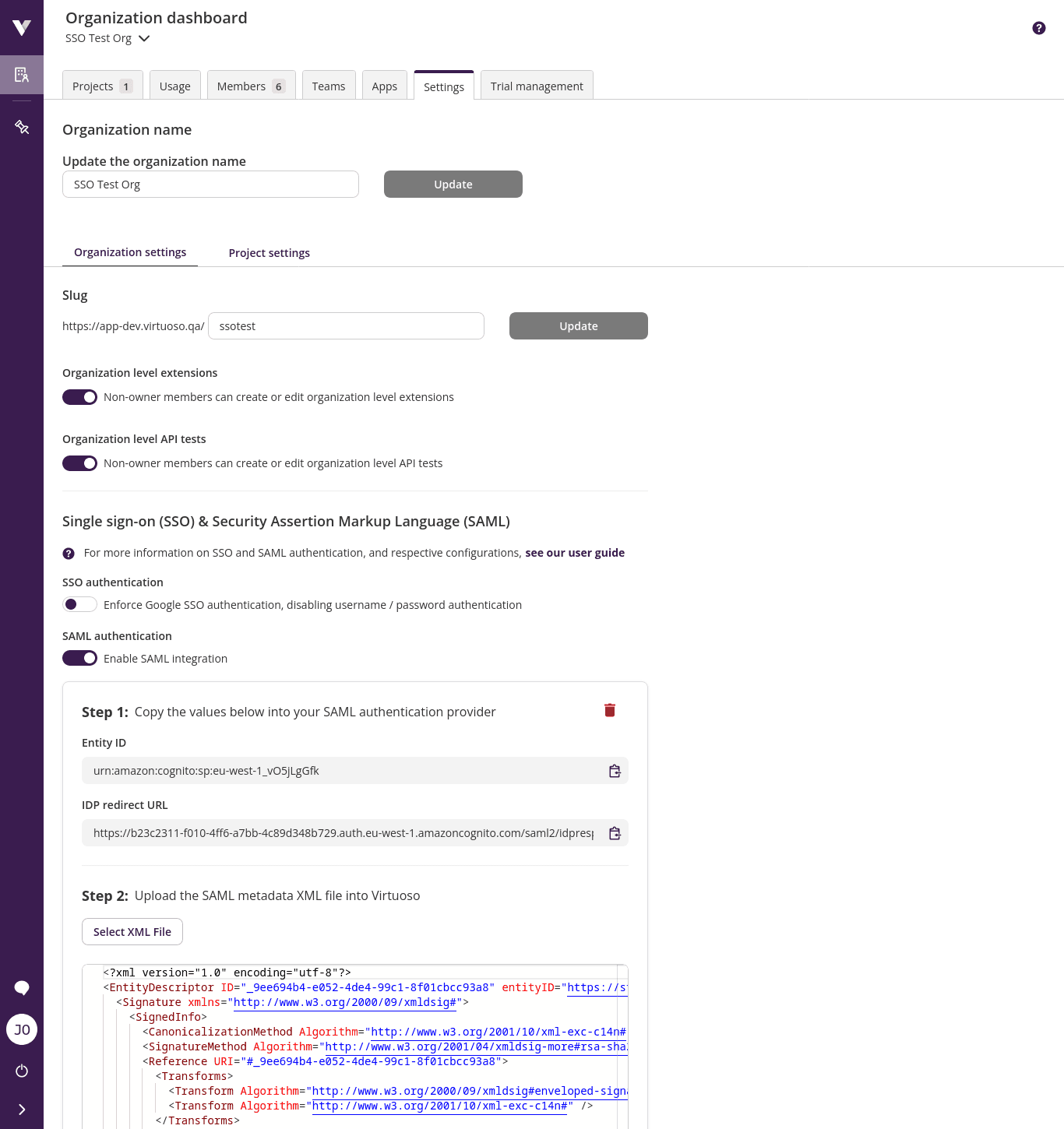
TIP
Keep this window open since Entity ID and IDP redirect URL are going to be necessary to configure Ping Identity.
2. Access your Ping Identity dashboard in another window
3. Click on Connections
4. Click on Add Application
5. Select WEB APP and then SAML
6. Give the application a meaningful name like Virtuoso and click on the Next button
7. Select Manually Enter In the Configure SAML Connection
8. Provide the necessary information:
- Copy Virtuoso
Idp redirect URLandEntity Idto theACS URLSandEntity ID. - Set
SUBJECT NAMEID FORMATtourn:oasis:names:tc:SAML:1.1:nameid-format:emailAddress - Disable
Verification Certificate - Set
ASSERTION VALIDITY DURATIONto 60 seconds
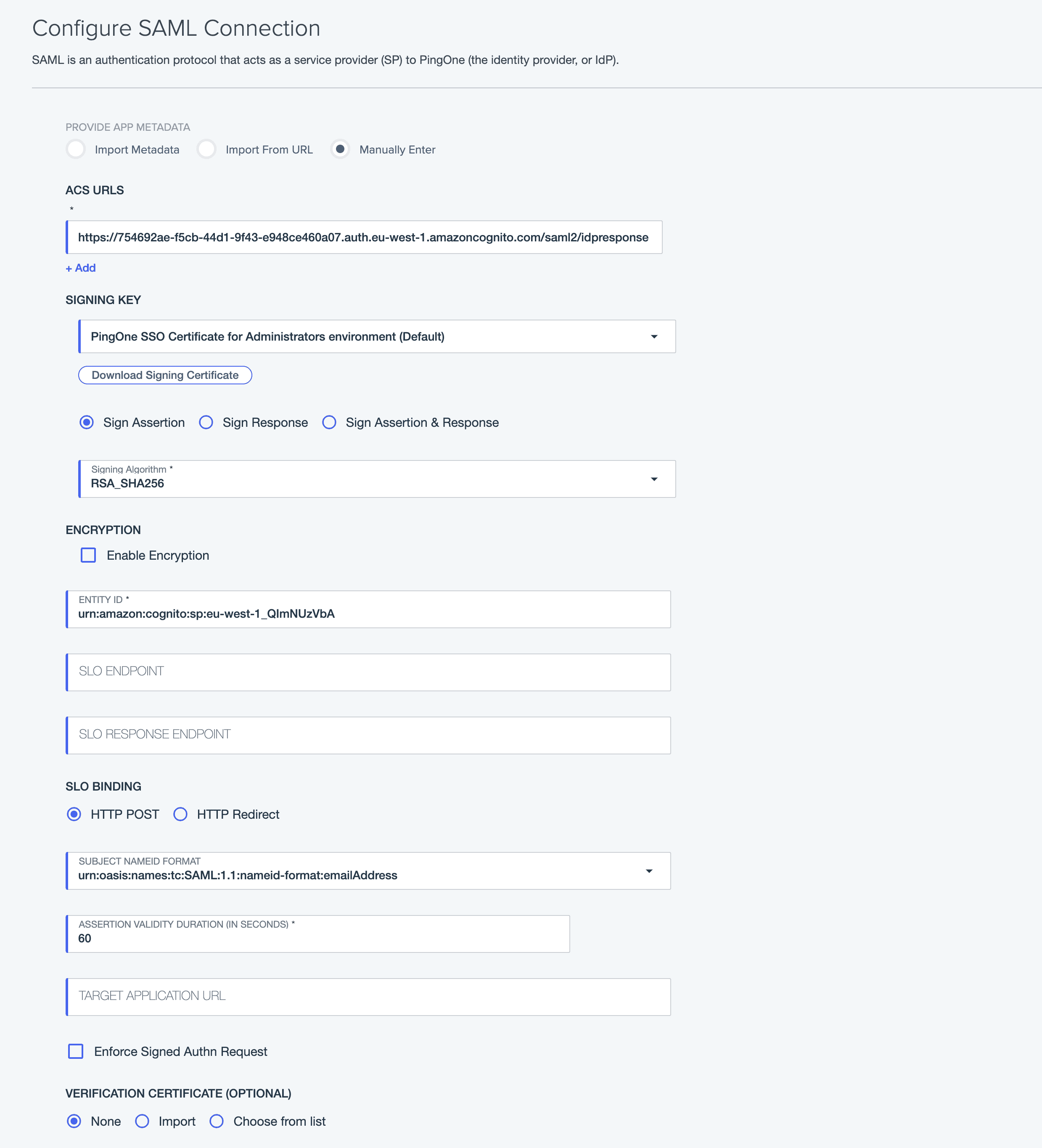
9. Click on the Next button
10. Set the Email Address in the saml_subject
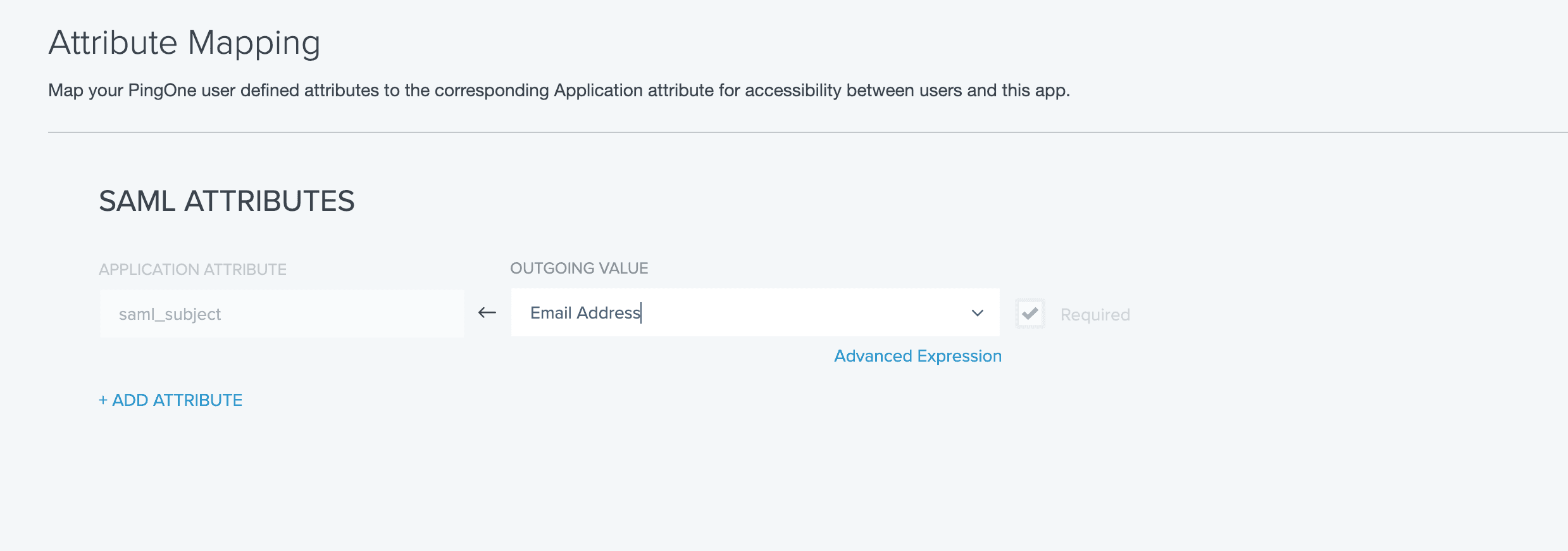
11. Click in the Configuration tab and download the Metadata file
12. Upload into Virtuoso the metadata file
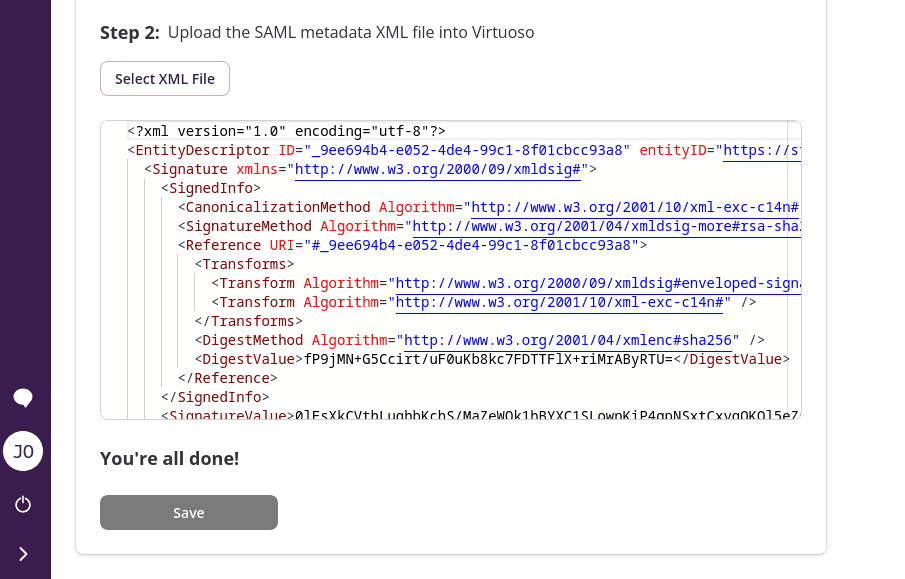
13. Click Save and you're done!
14. In the Ping Identity window activate your application using the toggle