# CI/CD Integration
Integrating Virtuoso with your CI/CD pipelines enables continuous validation of your business processes as part of your automated workflows. By connecting Virtuoso tests directly to your CI/CD tools, you can seamlessly trigger test executions during build, deployment, or release stages — ensuring faster feedback and higher confidence in every release.
# Configure CI/CD integration for an orchestration
Orchestrations can become an integral part of your CI/CD pipeline, triggered remotely and running as part of your development and deployment workflows, ensuring that important business processes are validated consistently.
To set up the CI/CD integration for an orchestration, bring up the modal by opening the orchestration context menu and clicking Configure CI/CD.
In this modal you'll find all the necessary information and actions to connect your CI/CD pipeline with Virtuoso and trigger the orchestration execution remotely. Start by creating an API access token - or checking if you already have one for the purpose.
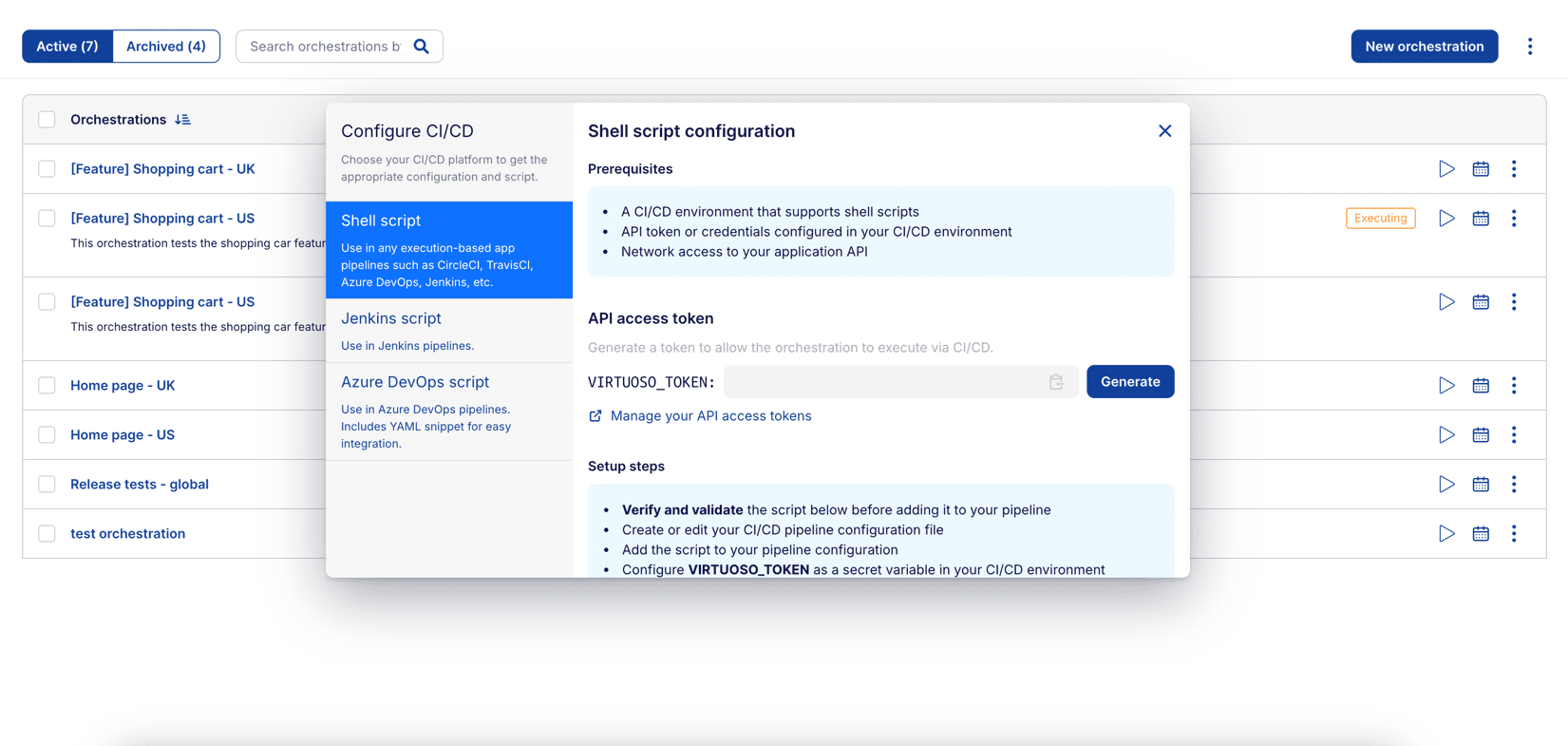
API access tokens
Tokens generated through this modal utilize the same mechanism used for accessing the Virtuoso API.
They can be managed as well through the Profile > API tokens page and the same security considerations apply.
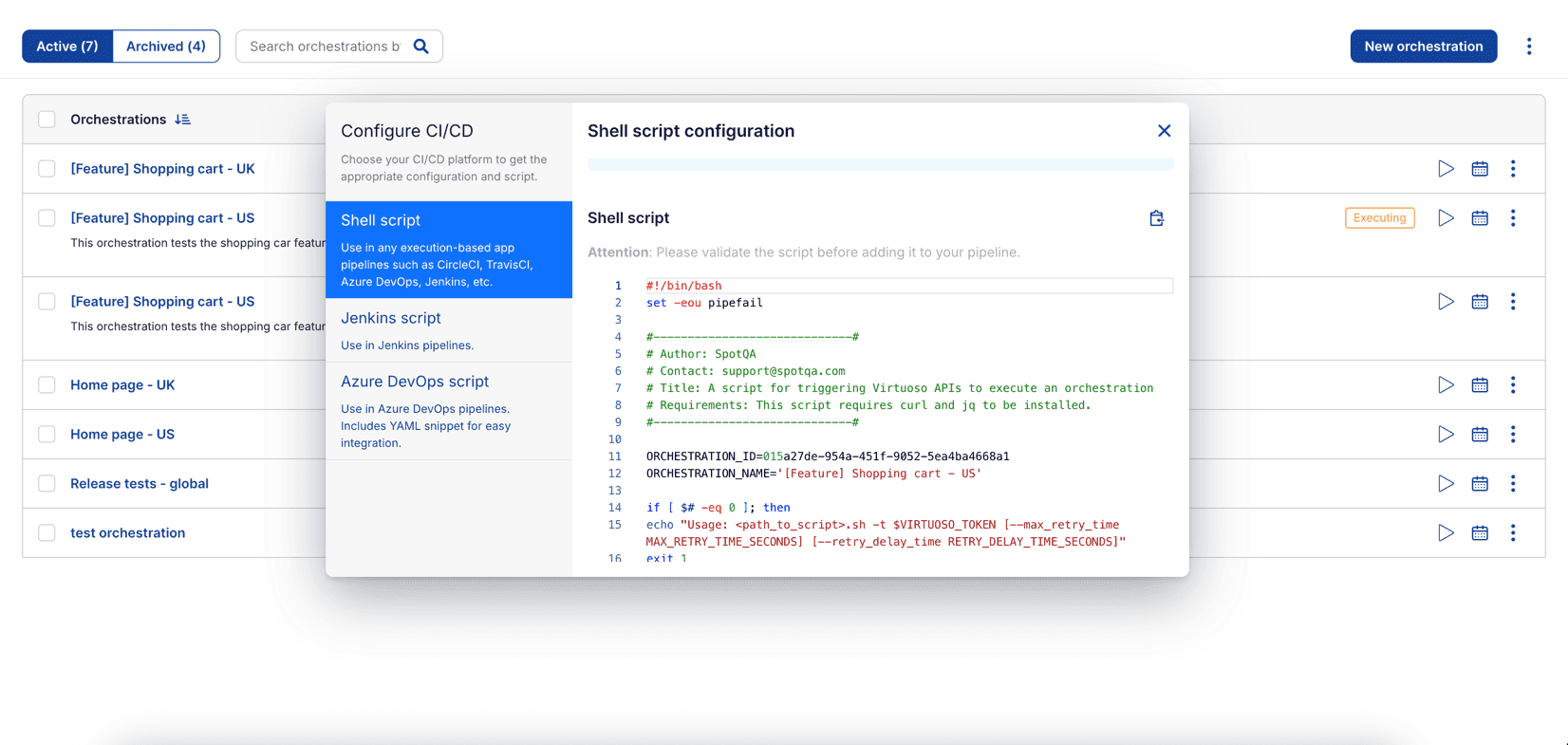
Once the token is ready, review the pre-filled script generated for your selected orchestration. Virtuoso provides ready-to-use scripts for multiple CI/CD tools — each designed to help you integrate quickly and efficiently.
# Generic Script
A simple shell script compatible with any CI/CD platform that supports shell execution. Use this if you are integrating Virtuoso into tools such as GitLab CI, CircleCI, or any custom environment.
# Jenkins Pipeline
A Groovy-based script designed specifically for Jenkins pipelines. This script can be added directly into your Jenkinsfile, allowing Virtuoso orchestrations to run as part of your build or deployment pipeline.
# Azure DevOps Pipeline
A YAML-based script for Azure Pipelines. It integrates Virtuoso orchestration execution as part of your Azure DevOps build or release pipeline.
# Configure CI/CD integration for plans
Just like orchestrations, plans can also be integrated into your CI/CD pipelines to ensure comprehensive validation of your application during development and deployment.
To set up the CI/CD integration for a plan, bring up the modal by opening the plan context menu and clicking Configure CI/CD.
In this modal you'll find all the necessary information and actions to connect your CI/CD pipeline with Virtuoso and trigger the plan execution remotely. Start by creating an API access token - or checking if you already have one for the purpose.
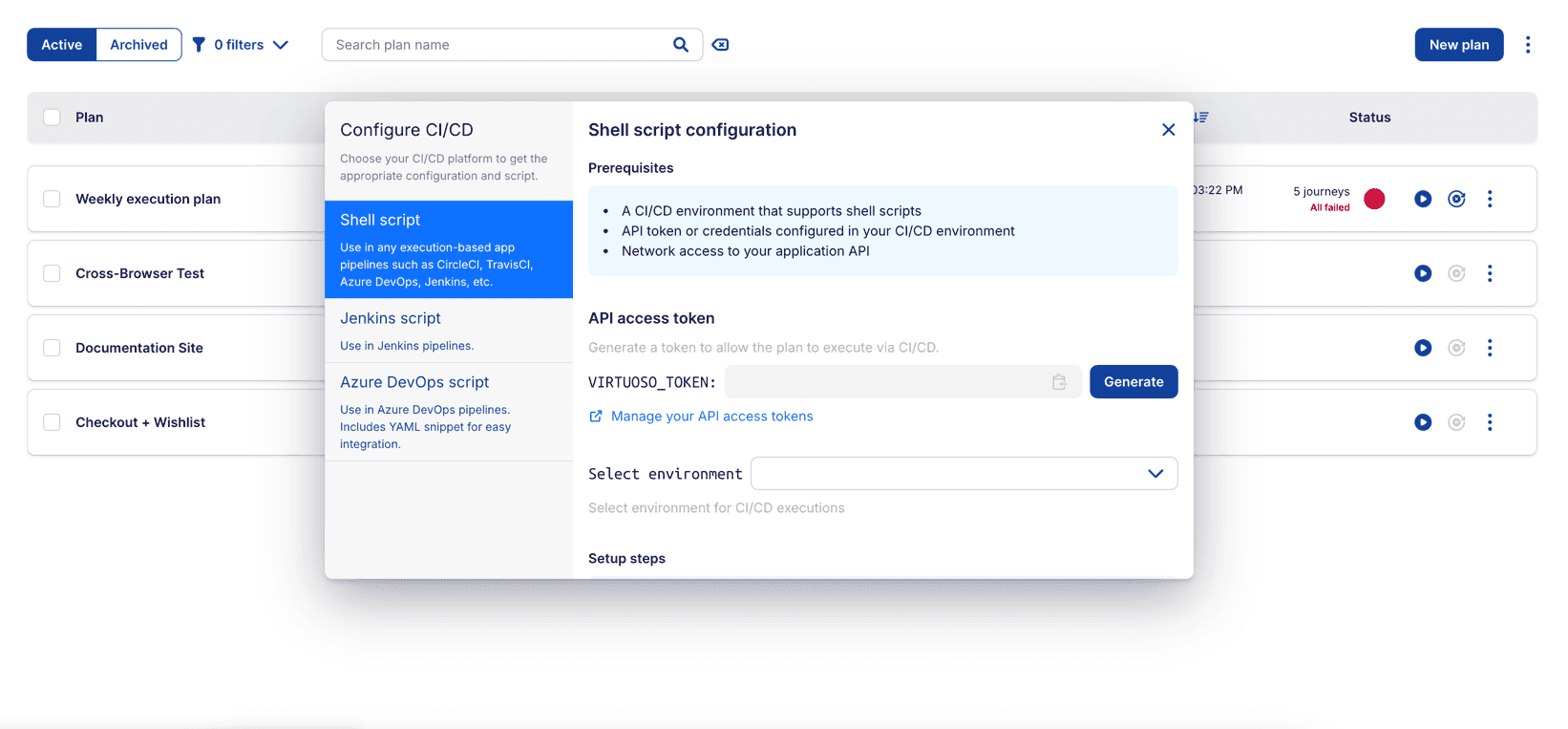
Once the token is ready, review the pre-filled script generated for your selected plan. Virtuoso provides ready-to-use scripts for multiple CI/CD tools — each designed to help you integrate quickly and efficiently.
If you want to use a specific environment, select it from the dropdown. If no environment is selected, the plan will execute using the default environment.
# Generic Script
A simple shell script compatible with any CI/CD platform that supports shell execution. Use this if you are integrating Virtuoso into tools such as GitLab CI, CircleCI, or any custom environment.
# Jenkins Pipeline
A Groovy-based script designed specifically for Jenkins pipelines. This script can be added directly into your Jenkinsfile, allowing Virtuoso plans to run as part of your build or deployment pipeline.
# Azure DevOps Pipeline
A YAML-based script for Azure Pipelines. It integrates Virtuoso plan execution as part of your Azure DevOps build or release pipeline.
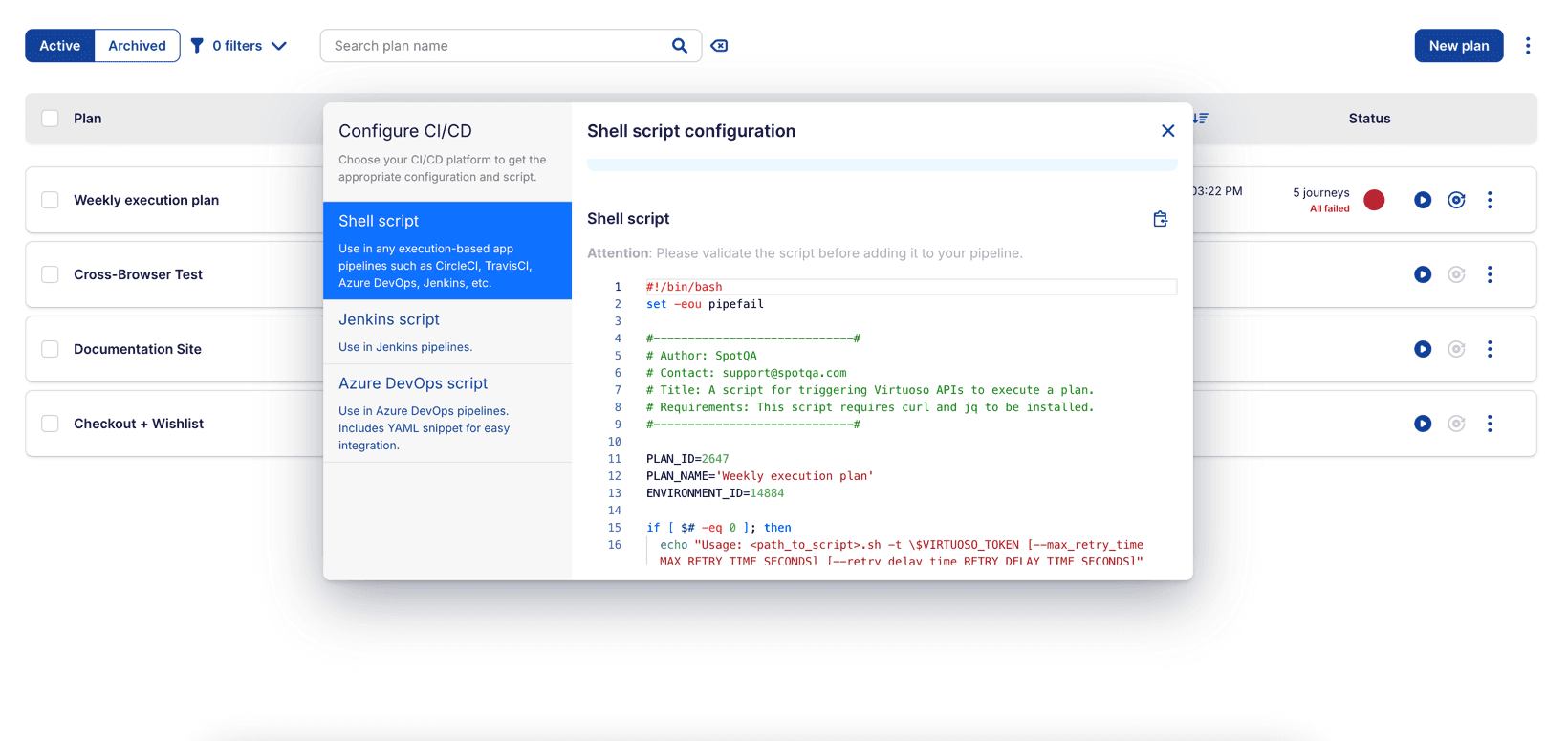
Verify and validate the script
The generated script is intended as a quick starting point and may need adjustments to fit your specific CI/CD setup.
Before adding it to your CI/CD pipeline, please verify and validate the script, so that it works as expected in your specific environment.