
# Goal versioning
Every goal in Virtuoso is independently version-controlled: as your tests evolve, the goal's history is preserved, so you can always inspect, recover, or branch from an earlier state.
Virtuoso currently supports two versioning mechanisms:
- Snapshot-based versioning — the original mechanism, where changes are made on an editable version of the goal that is committed behind the scenes (e.g., when an execution is triggered) to be saved permanently in the history;
- Timestamp-based versioning — the new mechanism, currently in beta, where every change is saved and versioned automatically at the moment it is made.
We have reached the stage of transitioning from snapshot-based versioning to timestamp-based versioning. Goals created while timestamp-based versioning is enabled use the new mechanism, while existing snapshot-versioned goals are kept intact and keep working exactly as before.
# Snapshot-based versioning
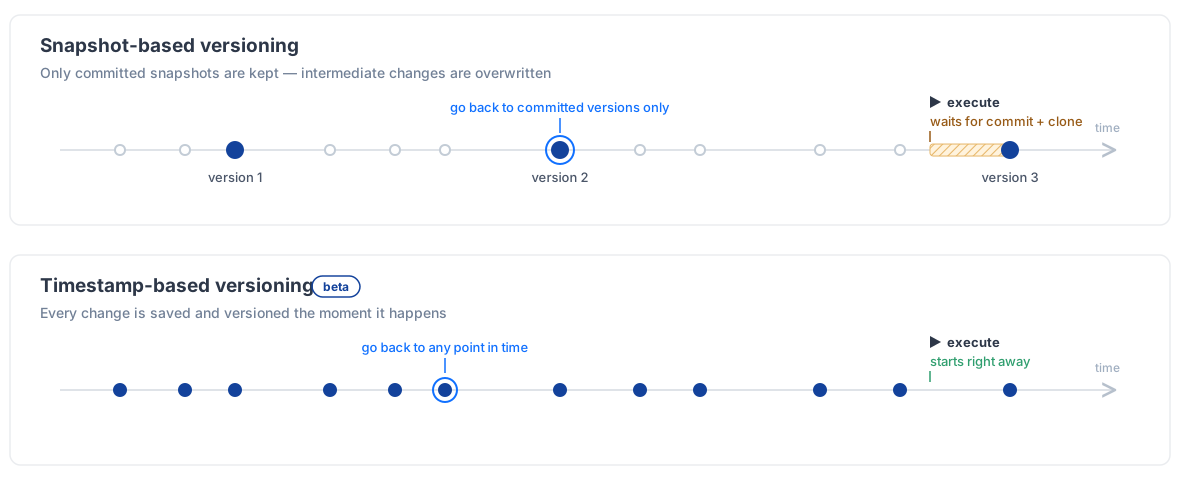
With snapshot-based versioning, a goal's history works much like version control systems such as Git (opens new window): you make your changes on an editable version (a snapshot), and Virtuoso commits it behind the scenes — for example, when an execution is triggered, a goal is imported or reverted, or a project is cloned — to save it permanently in the history. Once committed, a version cannot be changed — to continue working, a new editable version is created on top of it.
# Timestamp-based versioning beta
With timestamp-based versioning, there is no commit step at all. Every change you make to a goal — adding a checkpoint, editing a test step, reordering journeys — is saved and versioned automatically the moment it is made, and each point in the goal's history is identified by its timestamp.
- Goal changes are versioned automatically. Any change that makes your goal different from what it was before becomes part of its history the moment it happens. The exception is changes inside library checkpoints, which live outside goal versioning — just as they do with snapshot-based versioning;
- History is immutable. Just like with snapshot-based versioning, past states are saved permanently — a change never overwrites or erases what the goal looked like before;
- Any point in time is a version. You are not limited to the moments a snapshot was committed: every state your goal has ever been in can be inspected, rolled back to, or forked from.
This brings several benefits over snapshot-based versioning:
- Executions start without delay. With snapshot-based versioning, triggering an execution could be held up by a slow commit of the goal's current snapshot; with no commit step, executions launch right away;
- A complete, fine-grained history. Every change is a point you can return to — with snapshot-based versioning, repeated edits within an editable snapshot overwrite one another, so intermediate states are lost;
- Better performance. Each change is recorded individually as you make it, instead of saving whole versions of the goal, making authoring faster — especially on large goals;
- Resistance to parallel changes. Each change is applied in isolation, so several people (or automated processes) can work on the same goal at the same time without stepping on each other's changes.
# Which mechanism does my goal use?
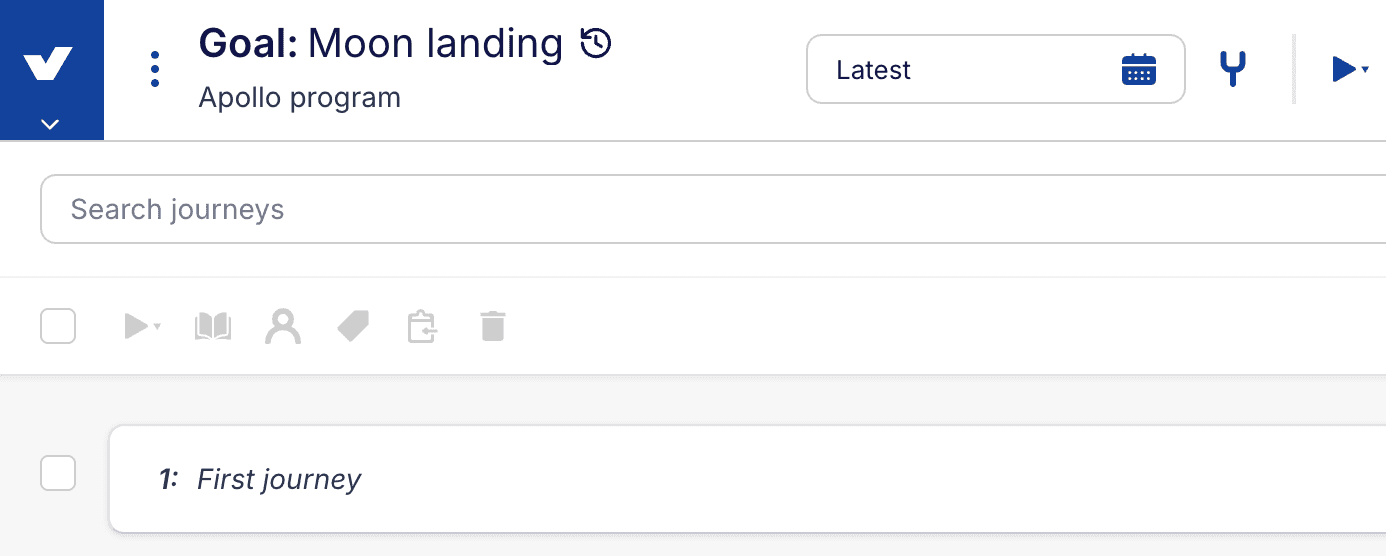
Timestamp-versioned goals are marked with a dedicated icon next to the goal's name — on the project dashboard's goal list, in the goal view header, and in the journey breadcrumb. Hovering over the icon shows a Timestamp-based versioning (beta) tooltip. Goals without the icon use snapshot-based versioning.
The icon is a temporary aid for the transition period: it exists only to tell the two mechanisms apart while they coexist, and it will be removed once all goals use timestamp-based versioning.
The mechanism is also reflected in the URLs when you are viewing a specific version of a goal:
- In snapshot-versioned goals, the version segment of the URL is the snapshot identifier — a short number (e.g.,
.../goal/42/v/123456); - In timestamp-versioned goals, it is either the keyword "latest" or the timestamp of that point in the goal's history — a much longer number (e.g.,
.../goal/42/v/1755100000000). Links to journeys use a different identifier format as well.
# Working with your goal's history
Regardless of the versioning mechanism a goal uses:
- Use the version picker on the goal view to navigate through the history of your goal;
- Use the timeline to see the change-by-change detail of what happened, who did it, and when;
- To restore the whole goal to an earlier state, use the
Rollback goal to this versionoption from the goal's context menu; - To branch off from an earlier state while keeping the current one, use the
Forkoption (or the icon), which makes a full copy of that state as a new goal that can be modified in isolation; - Execution results always reference the exact state of the goal at the time the execution was triggered, so reports remain accurate no matter how the goal changes afterwards.
# The transition to timestamp-based versioning
Timestamp-based versioning is being rolled out gradually, starting as a beta, so it may not be available in your organization yet. There is nothing you need to do — once it is enabled for you, newly created goals will use timestamp-based versioning automatically. During the transition, the two mechanisms coexist:
- Existing snapshot-versioned goals are kept fully intact: they look and behave exactly as before, including how versions are committed, rolled back, and forked. No action is required from you;
- In a later phase, snapshot-versioned goals will be migrated to timestamp-based versioning, preserving their existing history — a milestone towards retiring snapshot-based versioning entirely.
Migration details will be announced in the changelog ahead of time.